![Logo_Trinnov_Black_CMJN.png]](https://kb.trinnov.com/hs-fs/hubfs/ISE%202024/Logo_Trinnov_Black_CMJN.png?height=50&name=Logo_Trinnov_Black_CMJN.png)
Summary
- Introduction: why measurement strategy matters
- Single or multiple measurements?
- Multiple acoustic measurements: principles and best practices
- Measurements in the Wizard
- Final thoughts
- Notes on other measurement types
Introduction: why measurement strategy matters
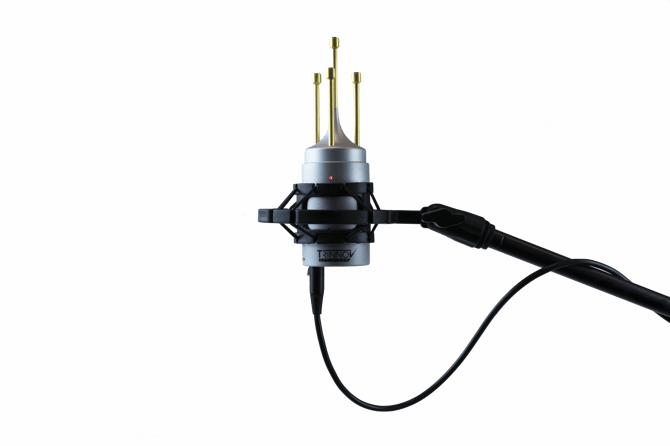
During calibration, acoustic measurements are the only information the Optimizer has to understand how your loudspeakers interact with the room.
The number of measurements you take, and how you use them, has a direct impact on:
- The listening area being optimized
- The robustness of the correction
- The clarity and predictability of the result
- The number of presets your system can efficiently store
- The workflow and time required during calibration
This article explains the fundamental concepts behind single and multiple measurements, how they are handled by the calibration wizard, and how to choose the right strategy depending on your application.
Single or multiple measurements?
Single measurement
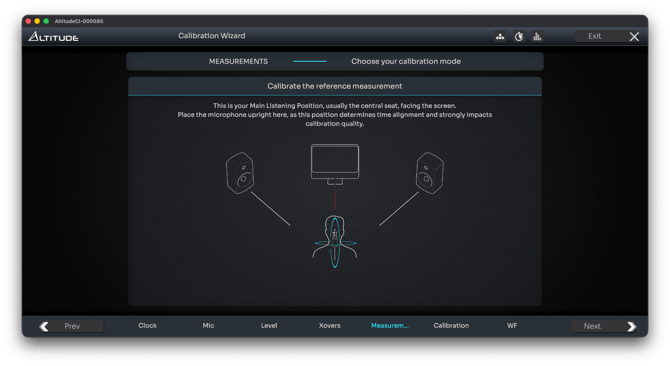
A single measurement consists of performing one acoustic capture, typically at the Reference Seating Position (RSP), and using it as the sole basis for optimization.
This approach presents several advantages:
- It is the fastest calibration method
- Filter computation is lighter, as less acoustic data must be processed. This allows the unit to store more presets within a given memory footprint
- It works particularly well for nearfield monitoring and single-listener systems
- Acoustic graphs are easier to read and interpret
- The correction is fully optimized for that exact position, without compromise
Tip: you can go to System/Hardware to see how much memory is used
However, it also has limitations:
- The optimization can become over-specific to a very narrow listening point
- This is especially true at high frequencies, where wavelengths are extremely short
- Small head movements can therefore result in audible variations
Tip: even when targeting a single listening position, taking 3 to 5 measurements around the RSP (to cover natural head movements) often produces a more robust result and helps prevent excessive or irrelevant high-frequency correction.
Multiple measurements
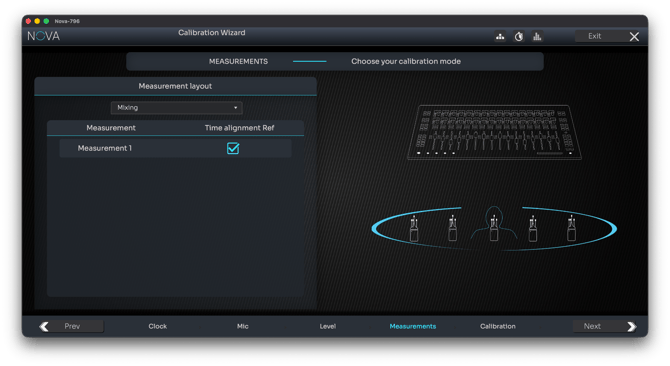
Example of a multiple measurement layout for large mixing environments
Multiple measurements consist of capturing acoustic data at several locations within the room.
This approach serves two distinct purposes, which must be clearly differentiated:
- Optimizing a wider listening area within a single preset
- Creating different presets optimized for different listening positions or functions
This distinction is important as it does not imply the same microphone placement logic.
Multiple measurements for performance (single preset)
In this scenario, multiple measurements are used together to compute one single preset.
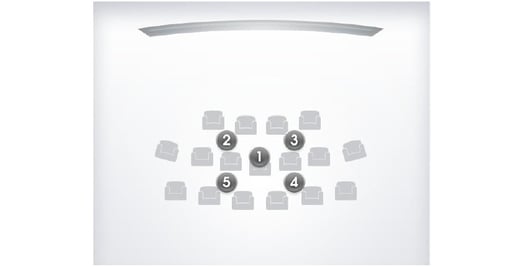
The goal is to:
- Optimize a listening area, not a single point
- Improve robustness across small position changes
- Deliver consistent results for multi-seat rooms
This is the recommended method for most home theaters and multi-listener environments.
Advantages of multiple acoustic measurements
Using multiple measurement points allows the Optimizer to capture how the acoustic response varies across a listening area, rather than locking the correction to a single spatial condition.
This leads to:
- A more stable perceived tonal balance across the listening area, as the correction is not tied to one specific pressure peak or null.
- Corrections that are less position-dependent, avoiding solutions that sound excellent at one point but degrade quickly a few tens of centimeters away.
- Greater tolerance to real-world listening conditions, where listeners rarely remain perfectly fixed at the reference position.
Trade-offs and limitations
Because the Optimizer must reconcile measurements that are acoustically different, multiple measurements introduce unavoidable compromises:
- Less position-specific optimization, especially in the high frequencies where spatial variations are large and cannot be corrected simultaneously.
- Smoother but less “surgical” corrections, as filters must remain valid across multiple positions instead of aggressively targeting one.
- Increased computational load, since more acoustic data is processed, resulting in:
- longer filter calculation times,
- larger preset memory usage.
- More complex graph interpretation, as responses represent spatially weighted behavior rather than a single, clearly defined measurement point.
Important note
Trinnov’s multi-point optimization does not rely on averaging the measured responses. A simple average would mask location-specific acoustic issues and lead to inappropriate corrections.
Instead, the Optimizer analyzes all measurement points jointly and computes correction filters designed to remain valid across positions, using both time-domain and frequency-domain information.
Multiple measurements for function (multiple presets)
Multiple measurements can also be used to serve different listening purposes, not just a wider area.
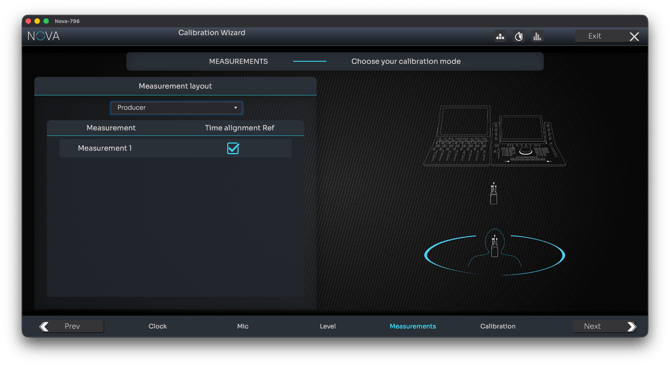
Mixer + Producer measurements
A typical example is a room with:
- A mixing or producer position
- A listening or audience position
These positions can be radically different in terms of acoustics, distance, and intent.
There are two possible strategies:
Strategy 1: combine positions into one preset
All measurements (e.g. listening + producer positions) are used together to compute a single preset.
- This can improve comfort at a secondary position while it is being used
- But it inevitably compromises the primary position
- This approach is rarely ideal for critical work
Strategy 2: create dedicated presets (recommended)
Measurements are grouped and computed into separate presets, each optimized for its intended function.
For example:
- A Producer preset, optimized strictly for the producer position
- A Listening preset, optimized for the audience area
This approach preserves accuracy, intent, and repeatability, and is strongly recommended whenever distinct use cases coexist.
Multiple acoustic measurements: principles and best practices
When performing multiple acoustic measurements, microphone orientation toward the center of the front stage is only critical for the reference measurement, taken at the Reference Seating Position (RSP).
For additional measurements, the following principles apply.
- Measurements are not seat-specific
The Optimizer does not necessarily correct individual seats.
Multiple measurements are used to characterize and optimize a listening area, not always precise seating positions.
- Cover the listening area intelligently
Measurement points should be distributed to represent the listening area as a whole, following consistent rules rather than strict seat placement.
- Introduce acoustic diversity
The goal of multiple measurements is to capture acoustically different data that helps the algorithm converge on a robust solution. Seek different information, not repetition.
Vary microphone height across measurement rows.
Vary distance from the front speakers between measurements.
- Avoid extreme or unrepresentative positions
Measurement points that are too different from the main listening area, such as positions very close to walls, near the ceiling, or far outside the listening zone, should generally be avoided.
Unless intentionally de-emphasized using Trinnov’s measurement weighting system , such positions may negatively affect the overall result.
- Recommended number of measurements
In most rooms, 3 to 5 measurements, including the RSP, provide optimal results.
Caution: beyond five measurements, returns diminish unless working in very large venues such as commercial cinemas with hundreds of seats.
Measurements in the Wizard
The measurement workflow spans two screens in the calibration wizard.
Step 1: choose single or multiple measurements
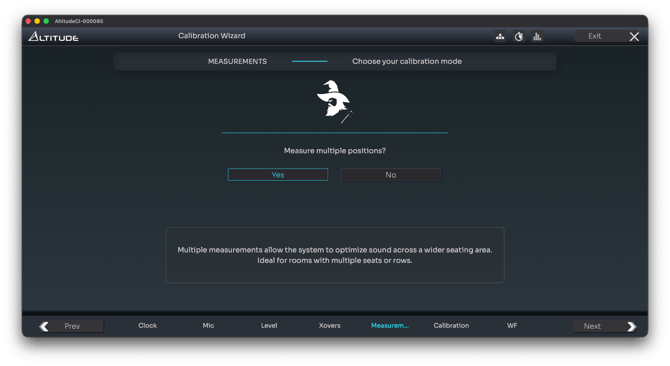
Based on the concepts described above, the wizard first asks whether you want to perform:
- A single measurement
Or multiple measurements
This choice directly affects the next screen.
Step 2A: single measurement workflow
If Single Measurement is selected:
- The wizard reminds you of the Reference Seating Position
- The measurement process proceeds directly from that position
This workflow is intentionally streamlined.
Step 2B: multiple measurement workflow
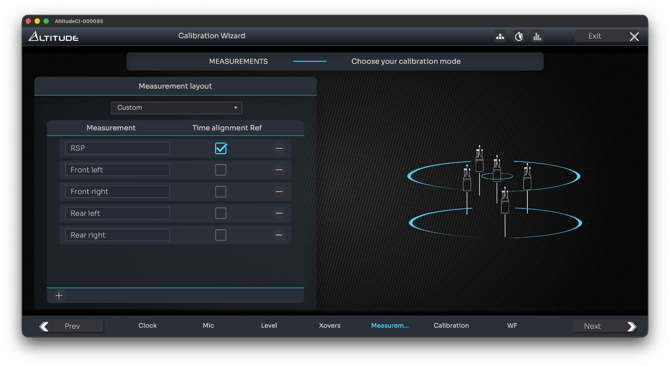
If Multiple Measurements is selected, the wizard allows you to declare, configure, and name measurement points.
Altitude
On Altitude, measurement configuration is fully custom:
- Add or delete measurement points
- Rename each point
- Choose which measurement is used as the reference for:
- Time alignment
- Level alignment
- Remapping
This flexibility supports both performance-based and function-based calibration strategies.
Tip: name your measurement position explicitly is strongly recommended
NOVA
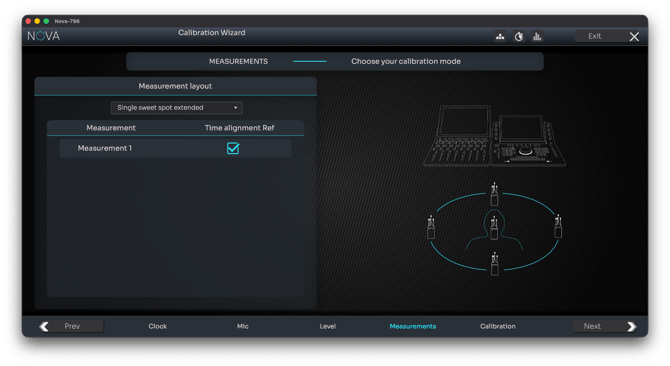
On NOVA, you can choose between:
- A custom configuration
- Or a preconfigured measurement layout, selected from the drop-down menu at the top of the screen
This approach simplifies setup while still allowing meaningful control over the measurement strategy.
Final thoughts
Choosing between single and multiple measurements is not about right or wrong, it is about intent.
- Single measurements favor speed, precision, and simplicity
- Multiple measurements favor robustness, coverage, and flexibility
- Separating performance optimization from functional presets is often the key to achieving both
Understanding these principles allows you to make informed decisions — and to fully exploit the capabilities of the Trinnov Optimizer.
Notes on other measurement types
Note: WaveForming measurements
WaveForming relies on a dedicated measurement process where only subwoofers are acoustically measured, following specific placement and sequencing rules. Please refer to the dedicated WaveForming articles for detailed guidance.
Note: Multiple microphones
Trinnov processors can, in some configurations, perform a single measurement using multiple microphones to save time. The products covered in this knowledge base do not offer this option by default.