![Logo_Trinnov_Black_CMJN.png]](https://kb.trinnov.com/hs-fs/hubfs/ISE%202024/Logo_Trinnov_Black_CMJN.png?height=50&name=Logo_Trinnov_Black_CMJN.png)
Summary:
What is WaveForming?
WaveForming is Trinnov’s low-frequency optimization technology based on controlled wavefront propagation.
👉 For a full explanation of the WaveForming concept, principles, and benefits, please refer to the dedicated WaveForming article on our website.
Pre-requisites
Before accessing this page, ensure that:
- You have at least four subwoofers:
- Two subwoofers are placed at the front of the room
- Two subwoofers are placed at the back of the room
Warning: WaveForming cannot be enabled with less than four subwoofers.
Note: most systems will have more emitting subs than absorbers, and therefore more front subs than rears
What is this page for?
This page is used to assign a functional role to each subwoofer in a WaveForming system:
- Emitting subwoofers generate the low-frequency wavefront from the front of the room
- Absorbing subwoofers act as active bass traps at the back of the room, preventing rear-wall reflections from returning into the listening area
This distinction is fundamental to WaveForming.
Without clearly defined emitting and absorbing subwoofers, the wavefront cannot be properly controlled.
Important: emitting subwoofers must be located at the front of the room. Low-frequency energy originating from the back of the room is both unnatural and perceptually disturbing, as on-screen action and sound sources are located at the front.
How to set subwoofer roles
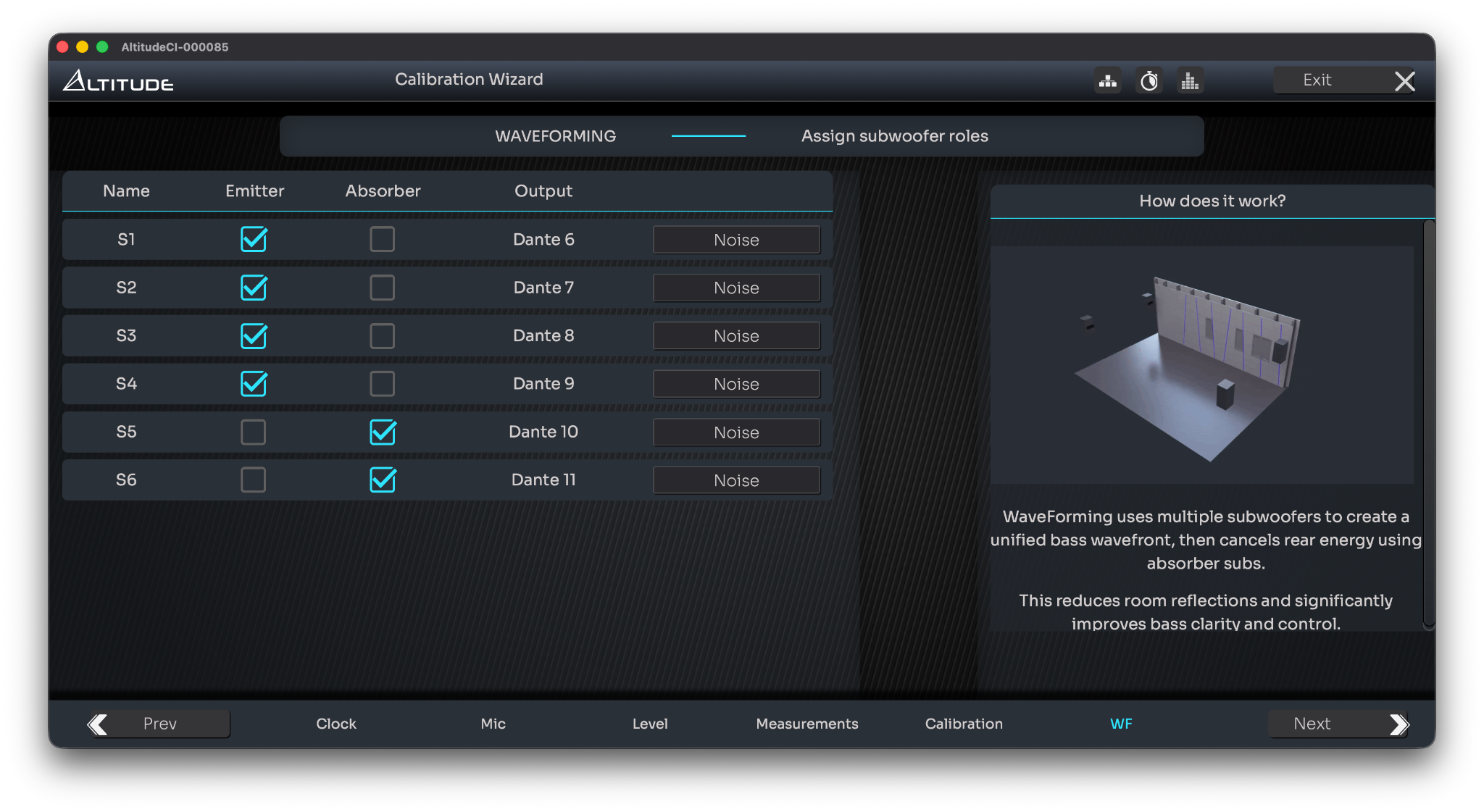
This step is straightforward:
- For each subwoofer, select either Emitter or Absorber, based on its physical location in the room
- If you are unsure which subwoofer is which, use pink noise to confirm the active unit before assigning its role
Once roles are correctly assigned, you can proceed with the next step and define your waveforming measurement mapping.